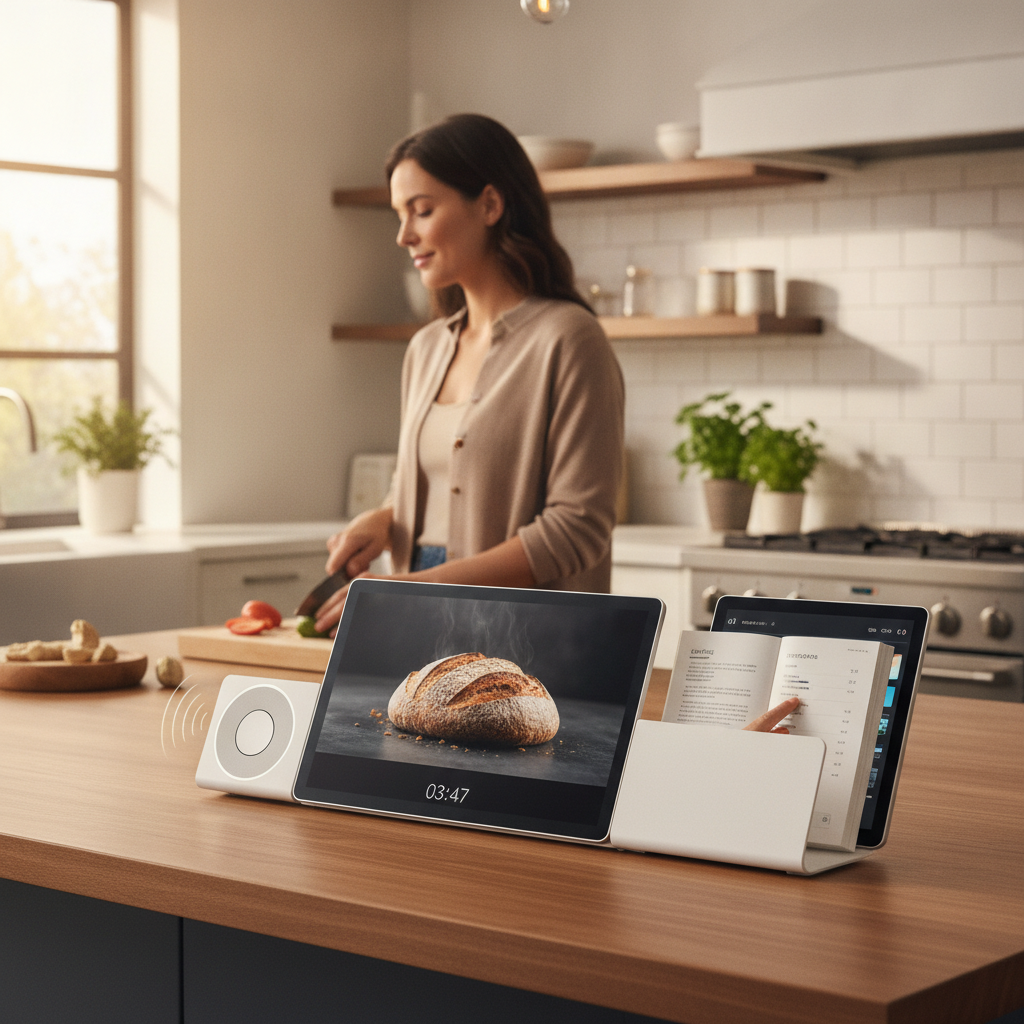
The kitchen counter at peak dinner prep looks like a small electronics graveyard. Your phone is propped against the olive oil bottle showing a recipe, a separate Bluetooth speaker is playing something from the corner, you've got a timer counting down on the microwave, and somehow you've still managed to lose track of how long the pasta has been boiling. It's a lot of friction for something that should feel almost automatic. Modular smart display hubs are quietly solving this exact problem, and if you cook at home with any regularity, they're worth paying attention to.
Understand What a Modular Smart Hub Actually Does
A modular smart display hub is a wall-mounted or counter-mounted screen that centralizes several kitchen functions into one interface — timers, recipes, music, video calls, smart home controls, and voice commands all live in one place. Products like the Amazon Echo Show 15, Google Nest Hub Max, and newer dedicated kitchen panels from brands like Brilliant have matured significantly in recent years. Instead of juggling four devices, you have one touchscreen handling everything. The "modular" piece refers to how these hubs can be configured, updated, and expanded with add-on widgets or integrations without swapping out hardware.
Mount It Where Your Eyes Actually Go
Placement matters more than the hardware spec. The most common mistake is mounting a smart display at eye level on a back wall where you have to turn away from the stove to see it. Ideally, your hub should be positioned in your natural sightline while standing at your primary prep surface. Under-cabinet mounting brackets have become widely available and work particularly well for compact displays in the ten-inch range. If you cook in a galley kitchen, a wall panel between the counter zones is usually the most functional spot. The goal is zero-pivot access — you should be able to glance, tap, or speak without repositioning your body.
Use It to Run Multiple Timers Without Losing Track
One of the most underrated features of a dedicated kitchen display is proper multi-timer management. Your phone can technically run multiple timers, but when your hands are covered in raw chicken, unlocking and tapping through menus is exactly the kind of friction that makes cooking feel harder than it needs to be. On an Amazon Echo Show or Google Nest Hub, you can say "set a pasta timer for ten minutes and a sauce timer for twenty-five" and both appear clearly labeled on screen. Voice-controlled, visually distinct timers are a small change that makes a surprisingly large difference on busy cooking nights.
Sync Your Preferred Recipe App Directly to the Screen
Most modern smart displays support direct integration with apps like Paprika, Whisk, or the built-in recipe features inside Google Assistant. Instead of propping your phone against something and hoping it stays awake, your recipe is displayed in a large, step-by-step format on a screen that doesn't go dark mid-instruction. Some hubs will even auto-scroll as you move through steps using voice commands. If you use a recipe app regularly, check whether it has a smart display companion mode — many do, and the setup takes under five minutes.
Replace the Bluetooth Speaker Without Sacrificing Audio Quality
A dedicated Bluetooth speaker is one fewer device you need once your smart hub is set up properly. The Google Nest Hub Max includes genuinely good stereo speakers for a kitchen environment, and Sonos has begun offering display-adjacent products that blend home audio with smart home control. You don't need audiophile-level output for cooking — you need something that cuts through ambient noise from a running exhaust fan or sizzling pan. For most home cooks, the built-in audio on a mid-range smart display handles this without any additional hardware.
Set Up a Grocery and Pantry Shortcut Panel
Some smart display systems allow you to create custom shortcut widgets on the home screen. Use that feature to keep your grocery list front and center. Apps like AnyList and OurGroceries have smart display integrations that let you add items by voice mid-cook — when you realize you're out of cumin, you say it aloud and it's captured immediately. This replaces the habit of texting yourself reminders or scribbling on a notepad that inevitably disappears. A well-configured home screen on your kitchen hub becomes the kind of running household system that actually stays current.
Treat Voice Control as the Primary Interface
The biggest shift that comes with using a kitchen smart hub is learning to treat voice commands as your default interaction mode rather than a novelty backup. You won't always have clean hands, you won't always be close enough to tap the screen, and you shouldn't have to stop what you're doing to manage your own cooking environment. Invest fifteen minutes in learning the most useful voice commands for your specific device — setting timers, switching music, asking for unit conversions, dimming lights. Once those commands become reflexive, the hub genuinely starts to feel like an extension of your process rather than another gadget to manage.
Don't Over-Automate Before You Know What You Need
It's tempting to set up every possible integration at once — smart plugs on the kettle, automated lighting scenes triggered by the recipe mode, a morning briefing that starts when the coffee maker turns on. Resist this for the first few weeks. Start with the two or three functions that currently create the most friction in your kitchen routine, get those working smoothly, and then layer in additional features from there. Over-engineering your setup from day one usually results in a complicated system you stop using rather than a simple one that becomes invisible and helpful.
Kitchen smart displays are still evolving fast. Expect voice recognition to get more context-aware, recipe integrations to become more dynamic with step-by-step video guidance, and hubs to start connecting more intelligently with smart appliances from brands like GE Profile and Samsung. The core idea — one centralized surface that handles what used to require four separate devices — isn't going anywhere. The setup you build now will only get more capable as the software behind it catches up to the hardware already sitting on your counter.